Import an Astro project (.zip)
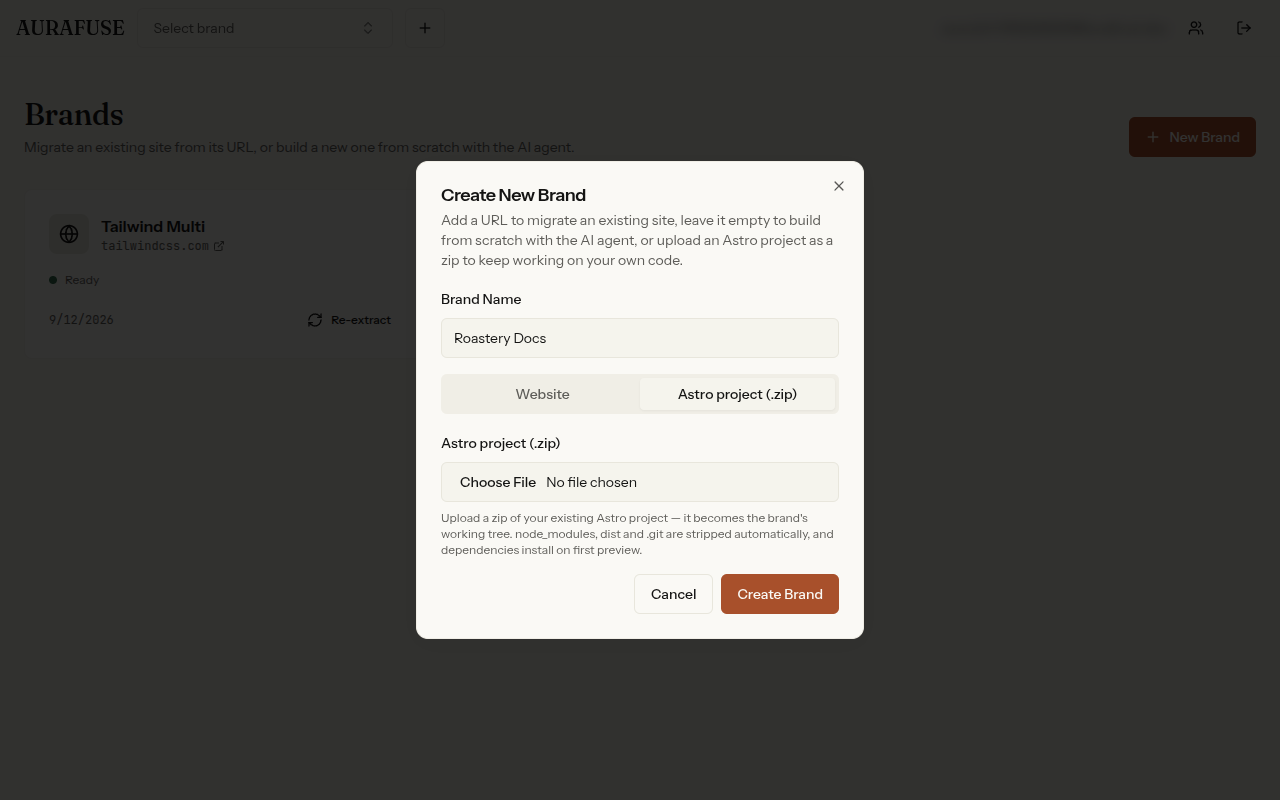
Extraction clones an existing site and the AI agent can build one from scratch — but if you already have an Astro project, you can bring your own code. It's the third way to create a brand: in the create-brand dialog, switch to Astro project (.zip), name the brand, and upload your archive. Your project becomes the brand's working tree — editable in the Editor Studio, served by the dev preview, projected by the CMS, and publishable like any other brand.
Constraints
- Zip the project root — the archive must contain a
package.jsonat its top level, or the import is rejected. Don't zip a parent folder ordist/. - 50MB upload cap, up to 5,000 files.
node_modules,.git,dist, and.astroare stripped automatically — dependencies install on first preview (without running install scripts).
Archive safety
Before anything is extracted, AURAFUSE inspects the archive: total uncompressed size is capped, a compression-ratio guard blocks zip bombs, path traversal and absolute paths are rejected, and only regular files and folders are imported — symlinks and special files are refused outright.
Warnings after import
Imports come back with a list of heuristic warnings worth reading:
- The project doesn't list
astroin its dependencies — the preview may fail to start. - No
astro.config.*at the root — the site may not build as expected. - No Tailwind setup — CMS-projected pages render unstyled.
Good to know
- No tracker injection — imported projects ship exactly as uploaded; AURAFUSE does not add its analytics tracker to your code (tracker injection and verification apply to sites AURAFUSE generates).
- One import per brand — an import never overwrites an existing working tree.